

Turned a view-only network monitoring tool into a system that automates 70% of an engineer's manual work
2024 - 2025
Fujitsu and NTT DOCOMO needed a platform to monitor multi-vendor telecom networks at a scale where data complexity was set to double. The existing system was single-vendor and view-only — every action required backend intervention. As one of five designers, I owned the dashboard: the module where engineers detect and act on critical network alarms.


WHAT I PERSONALLY OWNED
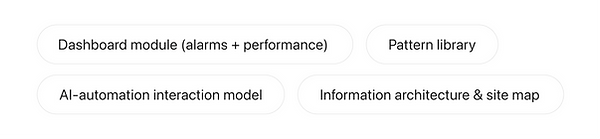
On a multi-team, two-country project, here's what was mine to drive:
The problem
Network operations engineers were drowning in manual work. The legacy system could only track one vendor, was read-only, and pushed every change through slow backend processes. Meanwhile the underlying data volume was projected to double. There was no comparable product on the market to borrow patterns from — this was a genuinely novel design problem in a deeply technical domain I had to learn fast.
MARKET TRENDS

Competitive Analysis
WHO I DESIGNED FOR?


Major users personas
OUR UNDERSTANDING
Aligning goals

THE KEY DECISION: MIRROR ENGINEER'S LOGIC, DON'T REPLACE IT
The obvious move with an AI-assisted tool is to automate aggressively and present conclusions. I argued the opposite. Network engineers won't trust a black box making decisions about critical infrastructure.
WHY DESIGN THE AUTOMATION TO FOLLOW THE MANUAL WORKFLOW?
I mapped the sequence engineers naturally follow when diagnosing an alarm, then structured the interface to mirror that exact logic. When the automated result follows reasoning the user recognises, they trust it — and adopt it. The system augments their judgement instead of overriding it.

AI vs Human thinking vs Manual workflow vs Single vendor
The system aims to replicate the natural analytical workflow engineers follow manually. The interface mirrors this sequence, users recognise the logic instantly and trust the automated results.

Instead of replacing human reasoning, the system:

WHY BUILD A PATTERN LIBRARY ON A DESIGN SYSTEM THAT WAS STILL CHANGING?
Fujitsu's design system was in flux — components kept "detaching" from the core, creating inconsistency. I implemented a pattern library documenting repeatable components, which kept the team consistent and cut iteration time as the system evolved. I later wrote up the approach in a published article on handling unstable design systems.

Designing for complex data
I broke the vast platform into modules by technical function, then focused the dashboard on two jobs: alarms (immediate, actionable network issues) and performance (predictive trends from resource use). The goal throughout was to take doubled data complexity and present it so an engineer could make a faster, more informed decision — clarity over density.

Modularisation of the platform
DESIGNING ACROSS LANGUAGE BARRIER
The clients were Japanese; the design and dev teams were Indian. I made visual sketchnotes the backbone of every workshop. It worked so well the Japanese stakeholders began using the same visual patterns to explain their technical environments back to us. Paired with AI tools that simplified dense technical terminology, this is what kept a complex project aligned and on schedule.
WORKSHOP PREP & CONCEPT DERIVATION

UNIFIED UNDERSTANDING ON DASHBOARD CONCEPT
.jpg)


Site Mapping

Userflow


Exploration to Final Design
ALIGNING DESIGN GOALS

DESIGN EXPLORATION

FINAL DESIGN SOLUTIONS


KEY LEARNINGS & TAKEAWAY

The decision that carried this project was mirroring the engineer's diagnostic logic instead of automating over it — that's what made network engineers trust an AI-assisted tool with critical infrastructure. The pattern library kept a shifting design system consistent and became a reusable asset the team kept after I left. Next time I'd push for direct usability sessions with frontline NOC engineers in week two rather than relying on internal proxy users early on — getting the real end-user in front of the IA sooner is now the first thing I plan on any technical-domain project.